Employee video: the complete guide

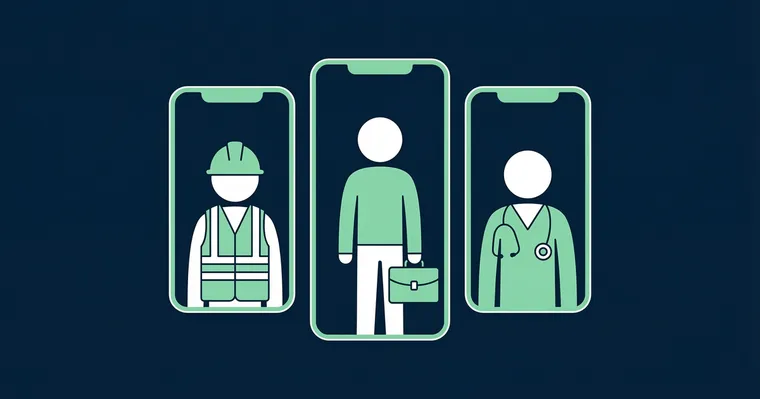
Employee video is one of the most effective things you can do for recruitment — and it does not have to be expensive or time-consuming. Yet most organisations stall on the logistics: who should film, how do we collect it, and what do we do with the footage afterwards?
Gobi Stories is a Norwegian SaaS platform that makes it easy to collect, edit, and publish authentic employee videos — directly on career pages, job listings, and social media. We have helped hundreds of organisations produce employee video at scale, and this guide distils what we have learned.
Why does employee video work so well?
Candidates trust what employees say more than what the company says about itself. It is a simple truth that the entire employer branding field is built on. And there is no more direct way to let employees tell their story than video.
An employee video shows tone of voice, facial expressions, and body language — three things text can never convey. When a candidate watches a real employee speaking honestly about what they enjoy about their job, mirror neurons activate. The brain starts imagining sitting in that office, working in that team, talking with that colleague.
- Attract candidates whose values actually align with your organisation
- Increase engagement time on career pages and job listings
- Let candidates assess cultural fit on their own — before they apply
- Create a sense of connection before the hire begins
- Provide authentic insight into the work environment — not the marketing version
The key point: employee video does not need to be polished. The most effective clips are typically 30–60 seconds, filmed on a phone or in a browser, with real employees speaking in their own words.
Six steps to a great employee video
Step 1: Choose the right employees
Select team members who are enthusiastic and comfortable being on camera. Authenticity matters more than camera skills — a slightly nervous employee speaking honestly builds more trust than a polished spokesperson with a memorised script.
Include different roles, departments, and backgrounds to give a representative picture of the organisation. The wider the selection, the more candidates can see themselves in your company.
Step 2: Let them film themselves — vertical in 9:16 format
Use a smartphone or browser in vertical format (9:16). This is the format candidates are accustomed to from social media, and it displays optimally on mobile — where most candidates browse job listings.
Avoid scripts at all costs. It is the unpolished authenticity that makes the content credible. Instead, provide guiding questions as a framework (see next step).
Step 3: Provide guiding questions
Give employees specific questions to answer — it makes it easier to get started and ensures the content is relevant. Good examples:
- What do you like most about working here?
- What is your favourite moment of the workday?
- How has the company supported your development?
- What would you say to someone considering applying?
Ask them to include the question in their answer for clarity. Avoid yes/no questions — open questions produce the best stories. The order of the questions also gives the video a natural beginning, middle and end — see five storytelling tips for employee videos.
Step 4: Collect with Gobi Autopilot
Your choice of collection method is decisive for whether you actually get it done. There are three approaches:
- Film crew / agency: expensive, time-consuming, produces polished but low-authenticity results
- Self-collection: you coordinate who films and follow up manually — does not scale
- Automated collection via Gobi Autopilot: you add participants and a question template, Gobi sends email invitations and manages the entire flow automatically
With Gobi Autopilot, you add names and email addresses, set a deadline, and choose a question template. Gobi sends personalised invitations with a unique link to each employee. They record directly in their browser with a teleprompter guiding them through the questions — no app download, no account creation required. The system handles automatic reminders, consent collection, and draft approval.
Step 5: Edit in Gobi Studio
Keep each individual clip under 60 seconds. Gobi Studio handles trimming, subtitles, and brand styling. No need to send footage to an external editor or wait on agency deliveries.
Subtitles are critical: more than 80 percent of mobile users watch video without sound. Gobi Studio generates automatic captions that you can adjust in the editor.
Step 6: Publish and distribute
Share the videos where they deliver the most value:
- Career page: Gobi Player embeds directly and presents employee stories as interactive stories
- Job listings: integrate via Teamtailor, Jobylon, Webcruiter, or Jobbnorge
- LinkedIn and social media: reach passive candidates with authentic content
- Onboarding: build a sense of belonging for new hires before their first day
The same content can be used across all channels — one collection round provides material for months of publishing.
“The best employee content does not come from the most experienced or camera-savvy people. It comes from the most engaged — those who genuinely enjoy what they do.”
What types of employee video work best?
Not all employee video is equally effective. Three types stand out:
Employee stories — the most credible video type. One employee, in their own words, talks about their career journey, what they enjoy about the job, or what surprised them positively. No script, no approved talking points — just genuine experiences.
Team introductions — three to four people from a team, each clip 10–15 seconds, edited together into a 45–60 second presentation. Candidates do not just apply to a company — they apply to a team.
Culture and overview video — a short video (90–120 seconds) that gives candidates an overall sense of who you are and what you care about. Slightly more produced than the others, but should still feel authentic.
The common thread: authenticity beats production quality, every time.
Frequently asked questions
What is an employee video?
An employee video is a short video clip where an employee talks about their experience of the workplace — in their own words, without a script. These videos are typically used on career pages, in job listings, and on social media to give candidates an authentic look at the culture and everyday life in the organisation. The format is usually vertical (9:16) and the duration 30–60 seconds.
Do I need professional equipment to make employee videos?
No. The most effective employee videos are filmed on a smartphone or directly in a browser. Authenticity outweighs production quality — candidates trust unpolished, genuine clips far more than glossy brand films. Good lighting and a quiet background are all you need technically.
How long should an employee video be?
An employee video in a job listing should be 30–60 seconds. A career page collection can consist of several clips at 15–30 seconds each. The key is that every second adds value — cut anything that does not.
How do I get employees to agree to film?
Most employees who enjoy their jobs are willing to share their experience — they just need a low barrier to entry. Gobi Autopilot sends a personalised email invitation with a unique link, and employees record directly in their browser with a teleprompter guiding them. No app, no account, no coordination with a film crew.
How much does it cost to produce employee videos?
Production costs are low when you use your own employees and the Gobi platform. You avoid agency fees, film crews, and expensive editing. Gobi Autopilot makes it possible to collect and publish employee video at a fraction of the cost of traditional video production. See pricing for details.
Want to see concrete examples of how employee video works in practice? Read about Baerum municipality’s success with Gobi Stories. And for a complete overview of recruitment video strategy, see our recruitment video guide.
Want to see how Gobi can help? See what Gobi does.