Leadership communication with video

A lot of leadership communication looks like this: the CEO spends an hour crafting an important email about the strategy. It goes out to every employee on Tuesday morning. A third never open it. The people working the shop floor, driving routes or covering shifts at the care home may not see it at all. The message that was meant to align the organisation was never received — only sent.
Compare that with a 60-second video from the same leader. Filmed standing with a phone, vertically in 9:16 format, without a film crew and without a script rehearsed to perfection. It gets watched to the end on the device every employee already has in their pocket — during a break, on the bus, between two meetings.
Gobi Stories is a Norwegian SaaS platform that makes it easy for leaders and employees to film short, vertical videos on their phones — and have them automatically edited and published to intranets, websites and other internal channels. In this guide, we look at why leadership communication so often stalls along the way, and how video makes it actually reach everyone.
Why leadership communication often doesn’t get through
Leadership communication is how leaders convey direction, decisions and values to the organisation — through all-hands meetings, email, the intranet and video. It is measured not by what is sent out, but by what employees actually take in and remember. When a leader’s message doesn’t get through, the vacuum is filled by rumours, uncertainty and guesswork.
There are three main reasons the message stalls along the way:
Email drowns. The inbox is full, and a message from leadership competes with everything else demanding attention that same day. Even important messages sit unopened — not out of defiance, but because email is the channel where everything is equally urgent.
The intranet only reaches people sitting at a screen. A news post from leadership dies quietly after a few days. Employees without a desk of their own — in retail, production, healthcare and transport — rarely log into a PC during their working day.
Polished communication lacks credibility. When a message has been through several rounds with the communications department, it sounds like a press release. Employees can hear the difference between a person and a resolution — and they trust the person most.
The result is a familiar gap: leadership feels they have informed everyone, while the organisation feels nobody said anything. Communication is not what is sent — it is what is received. The same applies to internal communication in general, but the gap is widest where the message matters most: with the leader.
Leadership communication on video makes leaders visible — and credible
Text conveys information. Video also conveys what text never can: tone of voice, face and body language. When employees watch their leader explain a decision in their own words, they don’t just assess the content — they assess the person. That is how trust is built.
But there is one condition: the video has to be real. A leader speaking straight into their own phone camera, vertically and without a rehearsed script, beats a directed studio production — and definitely beats an AI-generated avatar. Small imperfections signal honesty: a pause to think, a rephrased sentence, the sound of a real office. Employees know how their leader actually talks. The more produced the video is, the more distance it creates.
It also means the threshold is lower than many leaders think. You don’t need a studio, makeup or a recording day in the calendar. You need your phone, two minutes and something you actually want to say.
Change communication: video when it really matters
Change communication is the planned communication around restructurings, strategy shifts and other major changes in an organisation. The goal is for employees to understand what is happening, why it is happening, and what it means for them — before the rumours supply their own answers.
It is precisely during change that employees most need to see and hear their leadership. A reorganisation communicated in a dry document reads like a threat. The same message from a person looking into the camera and explaining feels like a conversation. Video lets a leader show confidence where it is real and acknowledge uncertainty where it exists — instead of hiding both behind careful wording.
A concrete example: a company is merging two departments. Instead of one long email, the leader makes four short, vertical videos through the process. First: this is happening, and here is why. The week after: this is what the new structure looks like. Then: answers to the most common questions that have come in. Finally: a status update after the first month. Each video takes under 90 seconds to watch — and a few minutes to make. Employees get steady information from a face they know, and the rumour mill loses its raw material.
We have gathered more examples of video in change communication — from the first announcement to the follow-up.
How leaders film it themselves — with a phone
The most common barrier to leader video isn’t willingness, but the idea of what it takes. Here is how to do it in practice:
- Film vertically in 9:16 format. Hold the phone upright. It is the format employees know from social media, and it fills the whole screen when the video is watched on a phone.
- Keep the camera at eye level. Use the front camera and look into the lens, not at the screen. It comes across as eye contact.
- Find good light. Face a window rather than standing with it behind you. Daylight is more than good enough.
- One message per video. If you have three things to say, make three videos. Short videos get watched to the end — long ones get switched off.
- Stay within 60–90 seconds. That is enough to explain one decision or one status update, and short enough that nobody postpones watching it.
- Subtitle the video. 80% of mobile users watch video without sound in public settings (source: Verizon Media / Publicis Media). Without subtitles, the message disappears on the bus and in the break room.
Two tools remove the last barriers. Gobi’s teleprompter in the browser shows your talking points on screen while you film — you get the support of a script without sounding like you are reading one. And Gobi Autopilot makes sure the videos actually get made: automatic invitations and friendly reminders go out to leaders on a fixed schedule, and the videos come out fully edited at the other end — with subtitles, trimming and your visual profile. No film crew, no editing software, no studio booking.
“I dreaded the first video and spent half an hour on it. The second one took six minutes between two meetings. The teleprompter meant I didn’t have to memorise anything — I just talked.”
Reaching the people who don’t sit at a desk
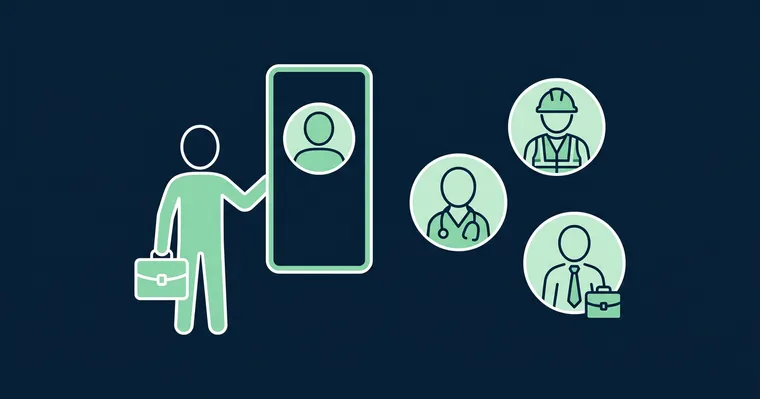
In many organisations, large parts of the workforce have no desk, no PC and no work email they check daily — in retail, on construction sites, in healthcare and in transport. For them, the intranet and midday all-hands meetings are, in practice, unavailable channels. The phone is the only surface that reaches everyone.
Vertical video meets these employees in the format and on the device they already use. A short leader video can be watched during a lunch break on site or between two shifts — without logging into a PC they don’t have. And because the videos are quick to make, the leader can keep a steady rhythm: an update every week or two builds a sense of presence across locations that no annual gathering can match.
That is the core of leadership communication with video: not one big production, but steady, human visibility — including for the people who never sit at a desk.
Frequently asked questions
What is leadership communication?
Leadership communication is how leaders convey direction, decisions and values to the organisation — through all-hands meetings, email, the intranet and video. Good leadership communication is regular, clear and reaches every employee, not just those sitting at a screen. It is measured by what recipients actually take in, not by what is sent out.
What is change communication?
Change communication is the planned communication around restructurings, strategy changes and other major changes in an organisation. The goal is for employees to understand what is happening, why, and what it means for them. Short, frequent video updates from leadership reduce rumours and uncertainty through the change process.
How can leaders use video internally?
The most common uses are weekly or monthly status updates, communication through change processes, marking milestones and answering questions from the organisation. Short, vertical videos filmed on a phone work best — they are quick to make and get watched to the end. With a tool like Gobi, they are published fully edited to intranets and internal pages.
How long should a leader video be?
60 to 90 seconds is a good rule. That is enough time to deliver one message clearly, and short enough that the video gets watched to the end on a phone screen. If you have several messages, make several short videos rather than one long one.
Do leader videos need professional production?
No — quite the opposite. A leader filming themselves on a phone, vertically and in good light, comes across as more credible than a directed studio production. What matters most is good light, clear sound and subtitles. Editing, subtitling and visual branding can be automated with a tool like Gobi.
Leadership communication works when it is frequent, human and reaches everyone — not when it is perfect. A vertical video filmed on the leader’s own phone is the simplest and most credible way to get there: a low threshold for the leader, high trust from the recipient, and a format that reaches employees wherever they work.
See how leaders use Gobi to keep the whole organisation up to date — or how Gobi Autopilot makes sure the videos actually get made, week after week. Video from leadership is also just one part of the picture: the same principles apply to internal communication and change communication.