Career Page with Video — How to Do It Right

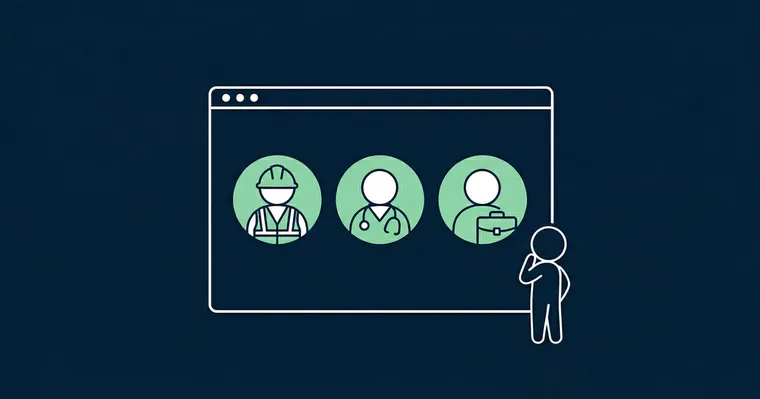
You already have a career page. It has a hero image, a culture description, and maybe a list of perks. And yet: candidates spend under 60 seconds on it before they leave.
The problem isn’t the page itself — it’s the content format. Text and static images tell candidates what you say about yourself. Video shows them who you actually are. That’s a fundamental difference, and it matters enormously in the moment a strong candidate decides whether to apply or move on.
Gobi Stories is a Norwegian SaaS platform that makes it easy for companies to collect, edit, and publish authentic employee videos — directly on career pages, job listings, and social media. This guide shows you how to add video to the career page you already have, and which types of video deliver the best results.
Why Video Is the Most Important Thing You Can Add to Your Career Page
A career page with video is a recruitment page that uses video content — typically short clips of employees talking about their day-to-day experience — to give candidates a realistic picture of the company as a workplace. Video isn’t decoration; it’s the primary tool candidates use to decide whether they want to apply.
Research shows that candidates do two things when they land on a career page: they scan for cultural signals, and they look for faces. They want to know if they’d fit in — not whether the company has good parking. Text gives them facts. Video gives them a feeling.
The psychology is straightforward. When a candidate watches a real employee — slightly unpolished, with a bit of natural hesitation, talking honestly about what they enjoy about their job — mirror neurons activate. The brain starts imagining sitting in that office, working in that team, talking with that colleague. No amount of well-crafted copy can achieve this.
What actually determines whether a candidate submits an application? Not word count — but whether they got answers to the two questions every candidate silently asks: “Can I see myself here?” and “Do I trust what’s being said?” Video is the only content format that answers both.
Nor does video require a large production budget to be effective. The opposite is true: candidates trust unpolished, authentic clips far more than glossy brand films. A 60-second clip recorded by an employee in their browser can have more impact than a 200,000-NOK video production — because it’s real.
What Types of Video Work Best on a Career Page
Not all video is equally effective. Three types stand out.
1. Culture and overview video
A short video — typically 90 to 120 seconds — that gives candidates an overall sense of what you do and who you are. It should answer: “What do you care about, and why?” This one is often slightly more produced than the others, but should still feel authentic. Avoid voice-overs and corporate aesthetics. Show real people in real situations.
2. Team and department videos
Candidates don’t just apply to a company — they apply to a team. Short clips where a team lead or a few employees from a specific department introduce what they work on and how they collaborate are highly effective. They make things concrete: the candidate can picture themselves in that specific team.
3. Employee stories
The most credible video type of all. One employee, in their own words, talking about their career journey, what they love about the job, or what surprised them positively when they joined. No script, no approved talking points — just genuine experiences. See our complete employee video guide for tips on planning and running the collection process.
“With Gobi, we can present who we are and what we do in a genuine, understated way. We can produce far more in less time, without needing a professional camera or multiple rounds in expensive editing tools.”
Employee stories are precisely what most organizations struggle to produce at scale — because the logistics stop them. This is exactly the problem Gobi Autopilot is designed to solve: you add names and email addresses, set a deadline and question template, and the system sends personalized email invitations to each employee with a unique link. They record directly in their browser — no app to download, no account to create — with a teleprompter guiding them through the questions. The system handles automatic reminders, consent collection, and draft approval without you coordinating a single follow-up manually.
The common thread across all three video types: authenticity beats production quality, every time. Short, vertical video in 9:16 format works best — it is the format candidates are accustomed to from social media, and it displays optimally on both mobile and desktop. An employee who looks slightly nervous but speaks honestly builds more trust than a polished spokesperson with a memorized script.
How to Build a Career Page with Video — Step by Step
You don’t need to rebuild your career page to add video. Here’s a practical approach.
Step 1: Identify which roles and teams you recruit for most
Don’t start by trying to collect video for everything. Identify the positions or departments where you have the highest volume, the longest time-to-hire, or the lowest applicant quality. These are the most valuable places to start with video content.
Step 2: Collect videos from employees
Your choice of method here is decisive for whether you actually get it done. There are three approaches:
- Film crew / agency: expensive, time-consuming, produces polished but low-authenticity results
- Self-collection: you coordinate who films and follow up manually — doesn’t scale
- Automated collection via Gobi Autopilot: you add participants and a question template, Gobi sends email invitations and manages the entire flow automatically
Gobi Autopilot is designed for organizations that need video content from many employees without building a content team. Employees record directly in their browser — teleprompter included — so they always know what to say.
Step 3: Edit and brand
Gobi Studio handles editing, trimming, subtitles, and brand styling. No need to send footage to an external editor or wait on agency deliveries.
Step 4: Embed on your career page
Gobi Player is a mobile-optimized video player that embeds on most platforms — with no cookie consent required to play. If you use Teamtailor or Jobylon, native integrations make the technical setup straightforward without IT involvement.
Place the video player where candidates can see it without scrolling too far — ideally just below or alongside the hero section. Don’t bury it on an “about us” sub-page.
Step 5: Update regularly
Outdated video content sends a signal: “we don’t actually care about this.” Employee stories from several years ago featuring people who have since left create distrust. Build a rhythm for collecting new stories — quarterly is a good starting cadence.
For a comprehensive recruitment video strategy, see our recruitment video guide. To learn how video works directly inside job listings, read our guide on using video in job postings.
Examples of Career Pages with Video
Reading about video is one thing. Here are three Norwegian organizations that have done it in practice.
GK Group
When GK set out to build new career pages in 2022, it was especially important to show potential candidates the breadth of opportunities across the group. They adopted Gobi and quickly began producing their own “stories” — employees proudly sharing what their workplace is like.
The result was not just more engaging career pages: it opened the door to broader use cases. GK now uses Gobi in Norway, Sweden, and Denmark, across recruitment, employee interviews, and editorial content.
Read the full story: GK Chooses Gobi Stories to Showcase Employees on Their Career Page
Hafslund
Norway’s leading renewable energy company integrated Gobi Stories on their career page to give job seekers a genuine glimpse into everyday life at Hafslund. Employees introduce themselves and talk about their work — in a way that’s far more personal than any job listing can provide.
What started as a recruitment initiative has already expanded into broader communications at Hafslund, including internal communications and brand building.
Read the full story: Hafslund Chooses Gobi Stories
Bærum Municipality
Norway’s fifth-largest municipality recruits around 1,500 new employees every year — across roles in kindergartens, schools, healthcare, technical services, and administration. With fierce competition for the same pool of talent, a standard job description is no longer enough.
Bærum adopted Gobi to embed authentic employee videos directly into their recruitment flow. The result: job listings that are more dynamic and engaging, and candidates who already have a realistic picture of the workplace before they apply.
Read the full story: Bærum Municipality’s Success with Gobi Stories
Frequently Asked Questions
What should a career page include?
A strong career page should answer four questions for the candidate: What do you do? Who are you (culture, values, people)? What do you offer? And: would I fit in here? Text and static images answer the first two. Video is the only format that credibly answers the last two. At minimum, a career page should feature employee videos, a clear EVP, concrete benefits, and a straightforward application process.
How do I add video to my career page?
The simplest approach is to use a dedicated video player like Gobi Player, embedded with a single line of code. If you use an ATS like Teamtailor or Jobylon, native integrations handle the setup. You can also embed via YouTube or Vimeo, but these aren’t optimized for employer branding formats and require cookie consent banners. Gobi Player is mobile-optimized and requires no cookie consent.
What types of video work best on a career page?
Employee stories — short clips of one employee talking about their experience in their own words — consistently generate the highest trust among candidates. Team videos where a department introduces itself are also highly effective, particularly when a candidate is considering a specific role. Avoid over-produced brand films with scripts and voice-overs; they score low on authenticity, which is precisely what candidates are looking for.
Can I use video on my career page without a large budget?
Yes. Authenticity matters more than production quality, and employees can record with a smartphone camera or directly in their browser. Tools like Gobi Autopilot make it possible to collect and publish employee videos at a fraction of the cost of traditional video production — no film crew, no editing agency, just employees telling their stories, edited and ready to publish via Gobi Studio.
Do I need cookie consent to show video on my career page?
It depends on the solution. Videos hosted on YouTube and Vimeo set third-party cookies and require consent. Gobi Player sets no third-party cookies and therefore requires no cookie consent — video plays immediately, without candidates having to click through a consent banner.
A career page with video is no longer a nice-to-have. It’s what candidates expect — and it’s what determines whether they submit an application or move on. Companies that invest in authentic video content from their own employees recruit faster, at lower cost, and with better candidate quality. For the bigger picture, see our guide on video employer branding.
Want to see how Gobi can help you add video to your career page? See what Gobi does.