Gobi Placement in Job Postings


A candidate takes 14 seconds to decide whether a job posting is relevant. 14 seconds. In that time they have scanned the headline, glanced at the opening lines and made up their mind: scroll on, or read more.
In that window, you either lose the candidate or capture them. And what captures attention fastest is not a paragraph listing responsibilities — it is a face. A real person talking about the job they do.
Gobi Stories is a Norwegian video platform that makes it easy to collect and publish authentic employee stories. This guide is about where in the job posting to place the widget so candidates actually see it, click on it and walk away with a sense of who you are.
Why placement within the posting matters
Job postings are not career pages. They are shorter, more focused and candidates treat them as scannable content — on par with a news article or a product card. That means the placement of video content is even more critical.
If you place the video at the bottom of the posting — after responsibilities, qualifications, benefits and the company description — fewer than 20 % of candidates ever reach it. They have either already decided or clicked away.
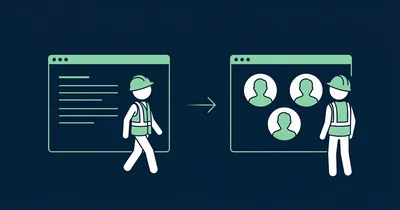
Place it early — after the introduction but before the bullet lists — and the candidate stops. The face in the video breaks the pattern of text and triggers curiosity: “Who is this? What are they saying about the job?”
Where in the posting to place Gobi
After the introduction — before the bullet points
The most effective placement is between the introductory text and the list of responsibilities. The introduction has set the context: what the role is about, which team it concerns. Now — before the candidate drowns in bullet points — you give them the chance to see who they might be working with.
This placement works because it reaches the candidate at the moment they are most receptive: they understand what the role involves, but have not yet started evaluating the requirements list. The video gives them motivation to read on.
Between “About the role” and “About us”
Many job postings follow the format: introduction → about the role → about us → qualifications → benefits → application deadline. Place the video in the transition between the role information and the company description.
This is where the candidate is silently asking: “Sounds fine, but who are these people really?” The video answers — with faces and voices instead of buzzwords.
Never at the very bottom
The video should not come after “We offer” and “Application deadline”. Only those who have already decided to apply scroll that far. The point of the video is to convince those who are on the fence — and they rarely read to the end.
The text that frames the video
Set the scene with one line
Candidates do not need an explanation of what they are about to see. They need a reason to click. One line above the widget is enough.
Works:
- “Hear from the team you could be joining” — personal, direct
- “This is what a typical day in this role looks like” — answers the candidate’s most important question
- “Meet the people who already work here” — third-party credibility
Does not work:
- “Video” — descriptive but offers no reason to click
- “Informational material” — corporate, off-putting
- “Our employees about us” — passive and impersonal
Keep it short
In a job posting, space is limited and attention is short. The heading above the widget should be one line — no subheading, no explanatory paragraph. Let the video speak for itself.
Size and format
Full width in the posting
The Gobi widget should take the full width of the posting text. A widget squeezed in as a small element next to text gets ignored — it looks like an ad within the ad.
The story bubbles should be large enough that the face is clearly visible. It is the face that stops the scroll — and on mobile (where most people read job postings) it is even more important that the bubbles are generously sized.
Vertical 9:16 video
Gobi works exclusively with vertical video in 9:16 format. It is the same format as Instagram Stories and TikTok — the format candidates instinctively know how to interact with. It displays optimally on the mobile screen they are using to browse job postings.
When the platform does not support embeds
Not all job posting platforms support embedded video. Some job boards, for example, do not allow embed codes in postings. Check all integrations to find your platform. The solution for platforms without embed support:
Link to the career page with video. Use a clear link early in the posting text — not buried at the bottom — with copy that invites the candidate:
- “[Meet the team and see what a typical day looks like →]”
- “[Watch what it is like to work here →]”
Make sure the career page has the video placed correctly — so the candidate lands right on the content without having to search.
“The candidates we now meet in interviews are far better prepared. They have watched the videos, they know the team a little already — and they are genuinely interested, not just browsing.”
Use different videos for different roles
One general “about us” video works fine. But what truly converts is video that is relevant to the specific role.
- Developer position → show a developer talking about the team, the tech stack and a typical workday
- Sales position → show a salesperson sharing about the customers, the culture and what motivates them
- Healthcare position → show an employee describing the shifts, the colleagues and the meaningful everyday work
When the candidate sees a person in the same type of role they are considering, recognition kicks in: “That could be me.” That is where conversion happens.
Checklist for the job posting
- Placement: After the introduction, before the bullet points — never at the very bottom
- Text above widget: One line that gives the candidate a reason to click
- Full width: The widget takes the full width of the posting
- Role-relevant: Show video from employees in the same type of role being advertised
- Mobile: Check that bubbles are large enough and visible without scrolling far
- Without embed support: Link to the career page with a clear CTA early in the text
- Update: Swap out videos when posting new roles — right team, right context
Need to collect videos from employees? Gobi Autopilot handles invitations, recording and approval automatically.
Want to learn more about why video in job postings works? Read our guide to video in job postings. For the career page, see how to place Gobi on your career page.