How to Embed Gobi Stories on Your Website

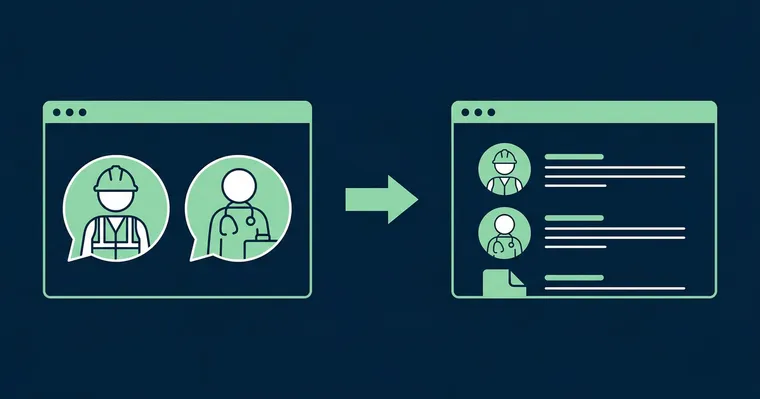
You have collected employee stories. They are edited, captioned, and ready to go. Now it is time for your candidates and customers to actually see them.
Gobi Stories is a Norwegian SaaS platform that makes it easy to collect, edit, and publish authentic employee videos — directly on career pages, job listings, and social media. Publishing is the step where many teams hesitate: “How do I actually get the stories onto our website?” The answer is simpler than you might expect, and in most cases you do not need a developer to get started.
This guide walks you through three ways to publish Gobi Stories, how to find the embed code in Studio, and what visitors experience when they watch the stories.
Three Ways to Embed Gobi Stories
There is no single “correct” method — the right choice depends on which platform you use and what fits your workflow best.
1. HTML Embed (Snippet)
The most flexible method. In Gobi Studio, you generate a small code snippet that you paste wherever you want the stories to appear — whether that is a career page, an about page, or an internal page. Most modern websites and CMS platforms support embedded HTML.
This method requires no integration setup, no API key, and no developer resources. Copy the code, paste it into the right field on your website, and the stories are live.
Read more about the HTML embed integration.
2. CMS and Website Integrations
If you use Webflow, Framer, WordPress, or another CMS platform, you can typically add code blocks directly in the page editor — without touching a single line of code yourself. The exact steps vary by platform, but the principle is the same: find the “embed” or “custom code” field, paste the Gobi snippet, and you are done.
See all available integrations for step-by-step guides for the most common platforms.
3. ATS Integrations
If you use a recruitment system like Teamtailor, Jobylon, or Jobbnorge, dedicated integrations let you connect Gobi directly to your career page and job listings — without managing HTML manually. You activate the integration once, then choose which stories to display directly from your ATS interface.
This is the recommended approach for HR teams that recruit regularly and want a seamless workflow. See all available integrations, and read more about using video in job listings.
How to Find the Embed Code in Studio
Gobi Studio is where you manage all your stories. Here is how to retrieve the embed code:
- Log in to Gobi Studio at studio.gobistories.com
- Go to “Website” in the menu — the “Add to Website” page opens
- Choose your stories with “Choose stories to embed”, and customize the story bubbles — color, size, animation and more under “Advanced options”
- Click “Add to Site”, pick a code style (the default is “Gobi Discover”) and click “Copy code” — this is the embed code you paste into your website
You can also get here with “Embed” in a published story’s menu under “Stories”, or with “Add to Website” in the editor’s Share panel. Paste the code wherever you want the stories to appear. You can go back and change the selection or layout in Studio at any time.
“With Gobi we can present who we are and what we do in an understated, authentic way. We can produce far more in less time, without needing professional cameras or expensive editing tools.”
Gobi Player — What Happens When You Add Stories
Once you have added the code, Gobi Player takes over. This is the video player your visitors see when they open your career page or job listing.
Gobi Player is built for authentic employee videos in vertical 9:16 format — the same format candidates know from Instagram Stories and TikTok. Videos play in portrait mode, optimized for mobile, but look great on desktop too. This is not a coincidence: most job searching happens on mobile, and candidates expect content in this format.
Key characteristics of Gobi Player:
- No cookie consent required — Gobi does not set third-party cookies, so stories play immediately without the candidate having to click through a consent banner. Read more about why Gobi does not require cookie consent.
- Automatic captions — all stories are automatically captioned, which increases accessibility and extends viewing time by up to 12%.
- Mobile-optimized — the player adapts to screen size and works smoothly on all devices.
The result is a video experience that does not interrupt the visitor’s flow — the stories are there, they are easy to watch, and they give candidates the authentic insight that makes them want to apply.
Ready to go live? Explore all integration options or learn more about what Gobi does for recruitment and employer branding. The stories don’t have to be employee stories either — customer videos work just as well on product and reference pages.
Frequently asked questions
Do I need a developer to add Gobi? +
No. For most platforms and CMS solutions, copying and pasting a code snippet is all it takes. If you use an ATS like Teamtailor or Jobylon, it is even simpler — you activate the integration from the dashboard and select stories without touching any code.
Does Gobi work on all websites? +
Gobi works on any website that supports embedded HTML — which covers the vast majority. If you use an ATS or CMS with dedicated integrations, the process is even more streamlined. Contact us if you are unsure whether your platform supports it.
Can I add Gobi to a job listing? +
Yes. Gobi works great in job listings — either via ATS integrations like Teamtailor and Jobylon, or via HTML embed on platforms that support it.
Does Gobi require cookie consent? +
No. Gobi Player does not set third-party cookies. That means stories play immediately, without visitors having to click through a consent banner.
What video format does Gobi use? +
Gobi uses exclusively vertical video in 9:16 format — the same format as Instagram Stories, TikTok, and Snapchat. This is not just an aesthetic choice: it is the format candidates are used to consuming on their phones, and it delivers higher completion rates and longer viewing time than landscape video.