
Jobbnorge
Integration guide
Add stories to job postings
Show employee videos in Jobbnorge job postings using the built-in Gobi module — no code required.
Create a story in Gobi Studio
Go to studio.gobistories.com and log in. Create a new story, upload short videos and/or images, and publish it. Note the Story ID shown after "ID:" next to the title in the editor.
Open the job posting in Jobbnorge
Log in to Jobbnorge and open the job posting you want to edit. Find the "Insert module" button in the green menu bar at the bottom of the editor.
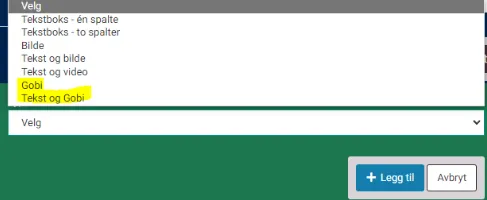
Select the Gobi module
Click "Insert module" and choose either "Gobi" (up to 3 stories) or "Text and Gobi" (2 stories + text column). Paste the Story ID from Gobi Studio.
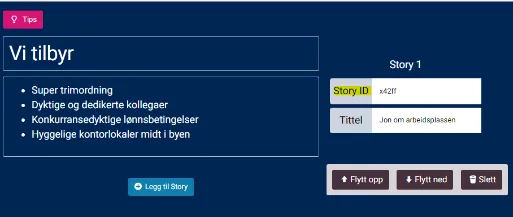
Add a title and preview
Give the story an optional title that appears below the video. Click "Add story" and use the preview to check that everything looks good.
Did it work?
Let us know if you got it working, or if you need some help.